
A new 402pay business now accepts cards from the start. Before, a business began with crypto only and turned cards on in its settings when it wanted them. Now the card switch is already on when the business is created, so its first payment link or API payment can offer Visa, Mastercard, American Express, Apple Pay, and Google Pay beside crypto.
This post covers what changed, what a customer sees, the cases where checkout still offers crypto only, and what to have in place before your first card payment arrives.
What changed
Cards were always a setting. In Settings → Payments, under Card, one switch decides whether checkout offers cards, and a new business used to find it off. A business that wanted cards had to turn it on first.
Now the switch starts on. Nothing else about creating a business changes: the same coins and networks are on to start, and so is crypto. Cards sit beside it, and you can turn either off whenever you like. A business that exists already keeps whatever it chose, so no one's checkout changes overnight.
What the customer sees
Checkout lists Card among the ways to pay. A customer who chooses it enters their email, so the receipt has somewhere to go, and a secure card page opens. There they pay with a card, Apple Pay, or Google Pay, see the final total, and pass any identity check their bank or the card provider asks for. Card details are entered on that page and never reach 402pay, your dashboard, or the receipt.
The payment is converted to crypto and delivered to your wallet as a coin you accept, on a network you accept, with no balance held for you in between. In the dashboard it shows as Card, with its deposit listed under You receive. Our post on Apple Pay and Google Pay covers the wallets, and the redesigned checkout shows how the card options appear.
When checkout still offers crypto only
A switch that's on doesn't guarantee every customer a card option. 402pay routes each card payment to a card provider, and checkout offers cards only when a provider can accept that payment:
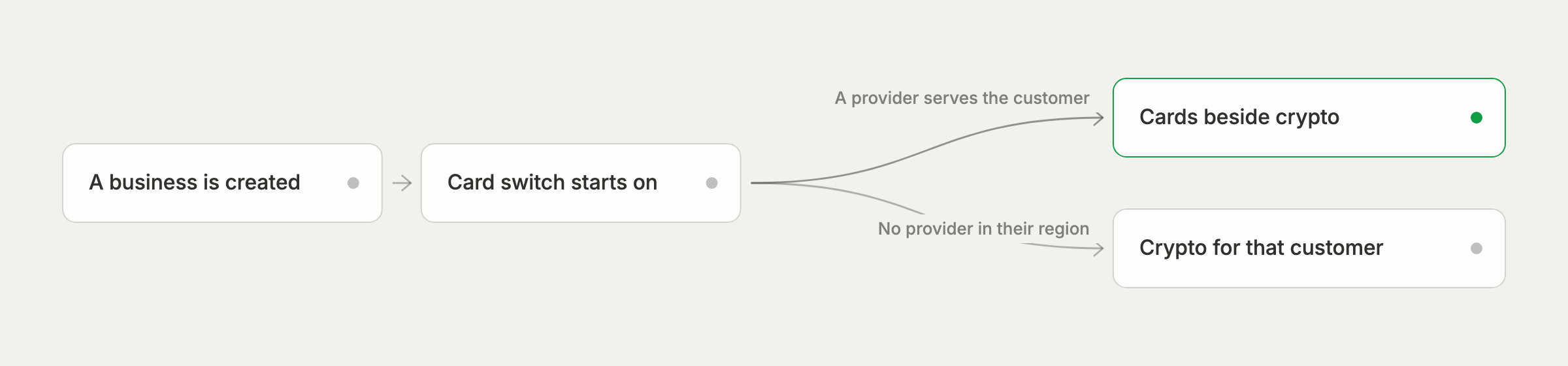
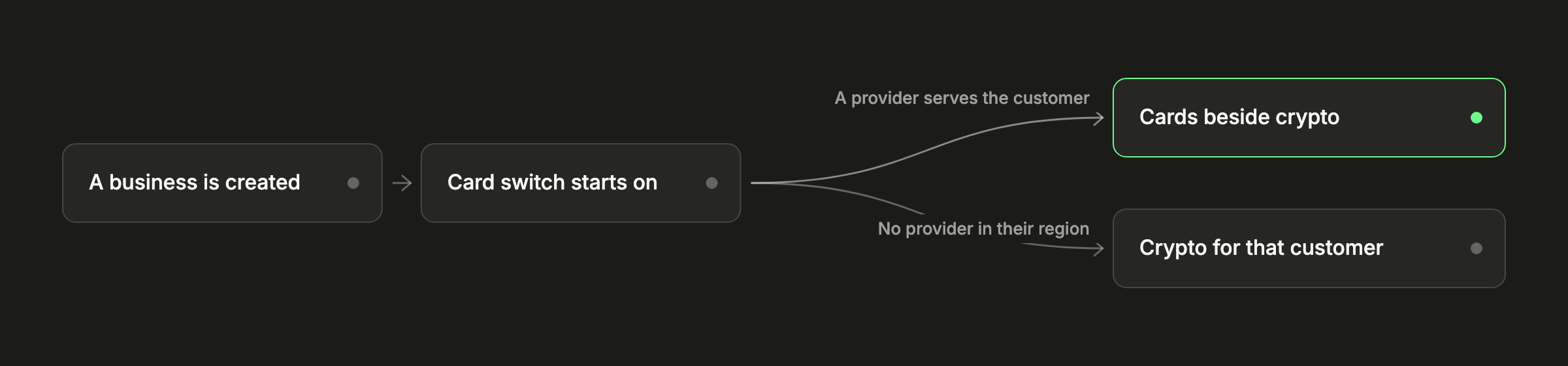
| For your business | Card providers deliver to your wallet in crypto. If none can deliver to your wallet yet, the card setting says so, its switch is grayed out, and checkout offers crypto only. The card help article says what to do. |
|---|---|
| For a customer's country | If no card provider serves the customer's country, checkout says card payments aren't available in their region and offers crypto. Nothing is charged. |
| For an amount | Card providers accept payments within a range. Outside it, checkout tells the customer where cards start or end for this payment, and crypto is still there. |
Whatever the reason, the customer can still pay with crypto, and your payment is the same payment either way. If a card is declined after the customer tries, they can try again with a card or pay with crypto instead. The post on card declines and retry routing covers how that works.
What cards cost
A card payment costs nothing during the public beta, then 4% + 30¢ per transaction, on your fee statement and never taken out of the deposit. The zero-fee beta waives it for now. A card provider can also charge its own fee, which checkout labels a third-party processing fee and includes in the customer's total, so it comes out of the customer's side and never your deposit. If you'd rather the customer cover 402pay's fee too, you can add it to their total.
Cards and crypto are priced differently, so it's worth knowing what each costs at your typical order size. The cost comparison puts the two side by side.
Before your first card payment
A card payment is backed by a card, so the cardholder can dispute it with their bank, as with any card payment. You'll be asked for evidence if they do. Refunds, when you agree to one, are sent from your wallet. Cards being on from the start makes a little preparation worth doing early:
- Name what customers are buying clearly in each link's name and description, in words they'll recognize on a statement.
- Put your refund policy on your site, where the customer sees it before they pay.
- Add a support email to your business profile, so customers come to you before their bank.
The refunds and disputes article walks through a dispute, and when a card payment is declined covers what you and your customer see after a decline.
If you don't want cards
Go to Settings → Payments and turn off Card. Checkout then offers crypto only, on every link and API payment. You can turn it back on at any time.
For developers
A card payment moves through the same statuses and sends the same webhooks as a crypto payment, so an integration that handles crypto needs no changes. Fulfill when your server receives and verifies payment.succeeded, not when the customer returns from the card page. A card payment that can't complete ends in payment.failed, with a failure_code that says why. The card payments guide has the details.
The customer pays the way they already do. You're paid in crypto, in your own wallet.
Common questions
- Yes. A new business is created with the card switch on, so checkout offers cards beside crypto from the start, with no merchant account or card underwriting to apply for. Businesses that already exist keep the choice they made.
- Yes. In Settings, under Payments, turn off Card. Checkout then offers crypto only.
- Checkout offers cards only when a card provider can accept the payment. That depends on whether a provider can deliver to your wallet, the customer's country, and the amount. The customer can still pay with crypto.
- Yes. They're offered on the secure card page checkout opens, with no extra setup on your site.
- On 402pay, nothing during the public beta, then 4% + 30¢ per transaction, on the fee statement rather than taken out of the payment. The card provider can add its own third-party processing fee, which checkout shows in the customer's total.
- Yes. A card payment is backed by a card, so the cardholder can dispute it with their bank, and the business is asked for evidence. Refunds are sent from the business's wallet.
See what 402pay can do for you.
Discover how 402pay helps your business accept any card and get paid in crypto, straight to a wallet you control.