Reconciliation is the unglamorous part of accepting payments: proving that every order you shipped was paid, every payment you received belongs to an order, and every fee is accounted for. With cards, a processor's payout report does much of that work. With crypto, the money arrives in a wallet as individual transfers, often in a coin whose price moved between the sale and the books.
This post covers how to reconcile payments taken through 402pay, by crypto and by card: what each payment records, which amount to book, the two places money can land, and a routine for closing a month. It describes what the product gives you, not tax advice.
Three records that have to agree
For a business on 402pay, reconciliation means lining up three sets of records:
| Your orders | Invoices, subscriptions, or orders in your own system, each with an amount you expect. |
|---|---|
| Payments | 402pay's record of each payment: what was asked, what arrived, its fees, and its status. |
| The wallet | The on-chain transfers in and out of your wallet, including refunds and moves to an exchange. |
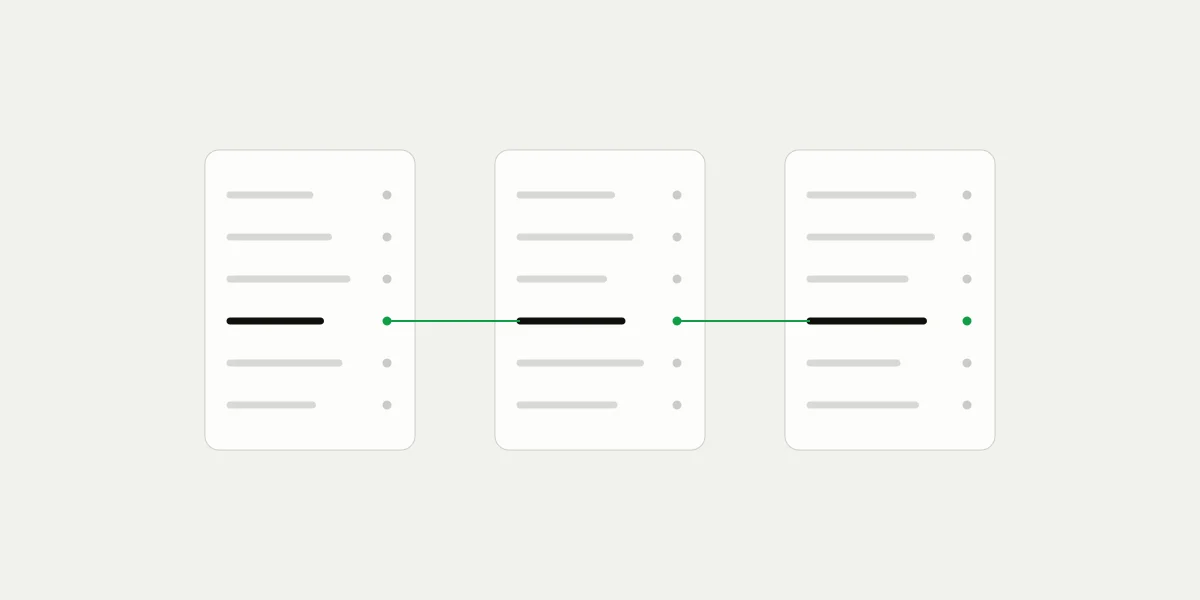
The payments list sits in the middle. Each payment points back to the order through your reference and forward to the transfer that paid it. When both links are in place, reconciliation is mostly checking that nothing is missing on either side.
Tie each payment to an order up front
The cheapest moment to match a payment to an order is when you create it. A payment made through the API can carry a reference of up to 64 characters, such as your order or invoice number, and up to 20 metadata pairs for anything else your books need: an account id, a cost center, a sales channel. Metadata can be added later too, which helps when an order number is only assigned after payment.
Payments from a payment link don't have your order number, since one link is paid by many customers. They carry the link they came from and the customer's email instead, which is enough for a fixed-price product but not for an invoice. If you're matching links to invoices by hand every month, that's the point to move those invoices to API payments. Our post on links and the API covers the trade-off.
Because every checkout pays a fresh address, a transfer can never be confused with another customer's. There are no memos to read and no amounts to guess from.
What each payment records
Open any payment, or read it through the API, and you have what an accountant will ask for:
| Price | The amount and currency the customer was charged, as you set it. |
|---|---|
| Reporting in USD | The price in US dollars, the rate fee, the flat transaction fee, any fee the customer paid, and the net you keep after fees. |
| Method | Card, or the coin and network, with the amount sent, the sending address, and the transaction hash. |
| Destination | Where the funds went: your wallet, or 402pay as fees. More on that below. |
| Status and time | Its status, when it was created and when it was confirmed, with a timeline of every step between. |
For crypto payments, the exchange rate the customer paid at is stored on the checkout that took the payment, so an auditor can see exactly how the price became a coin amount.
Which amount to book
A crypto payment has two amounts: the price in your currency and the coins that arrived. For revenue, book the price. The quote fixed the conversion at the moment of sale, and the payment reports that value in your currency and in US dollars. The coins in the wallet are an asset you now hold, and what they're worth next week is a separate question from what the customer paid.
A few cases need a second look:
- Overpaid: the payment succeeds and every bit of the extra lands in your wallet. Its details show the difference, which you can hold as a credit for the customer or refund.
- Underpaid and accepted: if you accept a short payment as paid, book what arrived, which the payment records as the amount received.
- Card payments: the card is charged in your currency and delivered to your wallet as a coin you accept. Book them like crypto payments, at the price.
Stablecoins make all of this simpler, because a dollar of USDC at the sale is still about a dollar when you close the month. Volatile coins create a gain or loss between receipt and conversion, which your accountant will want recorded separately. Our stablecoin guide covers choosing between them.
Book the sale at its quote. Treat the coins as what you hold afterward.
Payments that pay your fees
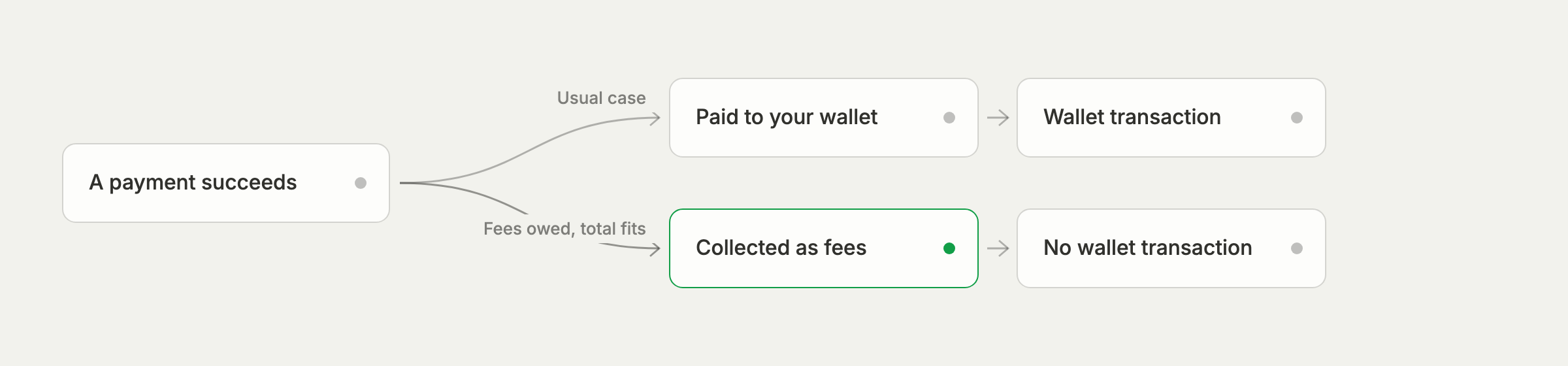
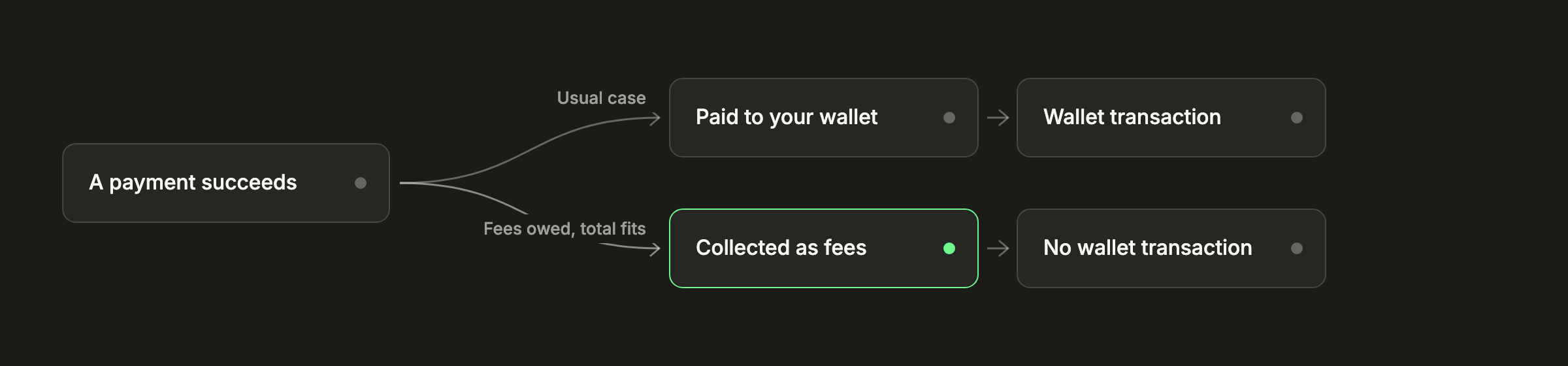
402pay never takes a fee out of a payment. Fees add up on your fee statement, and once you owe $25.00 or more, the next checkout whose whole total fits within what you owe pays 402pay's address instead of your wallet. A payment is never split: it goes whole to your wallet or whole to fees.
For your books, a collected payment is two things at once. It's a sale, with the same price, customer, and reference as any other, and it's a fee payment, taken off what you owe on the statement. It shows as Collected as fees in Payments and as 402pay fees in the export, and because the funds never reached your wallet, there's no wallet transaction for it. Without that distinction, a month's sales and the wallet's deposits won't add up, and this is usually why.
If customers pay the fee
With Customers pay the fees on, the payment records what the customer paid toward fees separately from the price, and its net already accounts for it.
The wallet side
Every payment confirmed into your wallet also appears in the wallet's transactions as an incoming transfer linked to its payment, with its value in US dollars at the time. Outgoing transfers are the ones you make: refunds, moves to an exchange, payments to suppliers.
Refunds deserve a habit. A refund on 402pay is a send from your wallet, which keeps you in control of it, but it means the transfer isn't linked to the original payment automatically. Add a note when you send it, up to 280 characters, with the payment's ID or your order number. Notes are private and stay with the transaction. See your portfolio and transactions.
A month-end routine
With the pieces above in place, closing a month takes a predictable set of steps:
- Resolve anything open first. Payments that are underpaid or need review are decisions, not revenue, until you accept them or send the funds back.
- In Payments, filter to Succeeded and select Export. The CSV holds every matching payment with its amount and currency, US dollar value, fee, transaction fee, net, where it was paid, method, network, transaction hash, reference, link, and customer.
- Match each row to an order by its reference, and each link payment by its link and customer.
- Split the rows by where they were paid: your wallet, or 402pay fees.
- Check the fee statement: fees added this month, payments collected against them, and what you owe now.
- Match the wallet's incoming transfers to the wallet rows, and its outgoing ones to their notes.
The export dates each payment by when it was created. For a strict cutoff at the end of a period, the API returns each payment's confirmation time too, and lists payments by date range with created_after and created_before, or by reference and metadata. The API reference has the details, and a restricted key with Read on Payments is enough for a reporting job.
Taxes
How crypto received as payment is taxed depends on where your business is, and the rules change often. Bring your accountant the export and the wallet's history before your volume grows, and ask how they want gains and losses on held coins recorded. Our guide to accepting crypto payments links to the US and UK tax authorities' own guidance.
Common questions
- Yes. Payments has an Export button that downloads every payment matching your filters as a CSV, with amounts, US dollar values, fees, net, network, transaction hash, reference, and customer.
- Create the payment through the API with your order number as its reference, and add metadata for anything else. Every checkout also pays a fresh address, so transfers never get mixed up.
- Usually because some payments were collected as fees. Once you owe $25.00 or more, whole payments go to 402pay instead of your wallet until the fees are paid, so they count as sales but never reach the wallet.
- The price in your currency, which the payment also reports in US dollars. The quote fixed the conversion at the moment of sale.
- A refund is a send from your wallet. Add the payment's ID or your order number as the transaction's note so it can be matched later.
See what 402pay can do for you.
Discover how 402pay helps your business accept any card and get paid in crypto, straight to a wallet you control.