The first payment a crypto checkout takes shouldn't be the first time anyone has seen it work. Before launch, you want to know that your server creates payments correctly, that it fulfills an order exactly once, and that it does the right thing when a customer sends too little, too much, or too late.
On 402pay, there is no test mode. Every key is live and every payment is a real transfer on its network. This post covers how to rehearse a full integration under that rule: the webhook checks that cost nothing, the payments worth making with small real amounts, how to reach each outcome on purpose, and what to check on the customer's side.
What there is to test
A checkout integration has more moving parts than the payment page itself:
- Your server creates a payment with the right amount, currency, and reference, and redirects the customer to it.
- Your webhook endpoint verifies each delivery's signature, skips deliveries it has already handled, and answers quickly.
- Your fulfillment logic acts on
payment.succeededand holds the order on every other status. - Your checkout settings match what you sell: the coins and networks, whether to ask for an email, the rate lock, and your underpayment tolerance.
- The customer can actually pay, on a phone, from the wallets your customers use.
Only the last three involve money. The webhook path can be tested end to end before a single payment exists.
Start with webhooks, no money needed
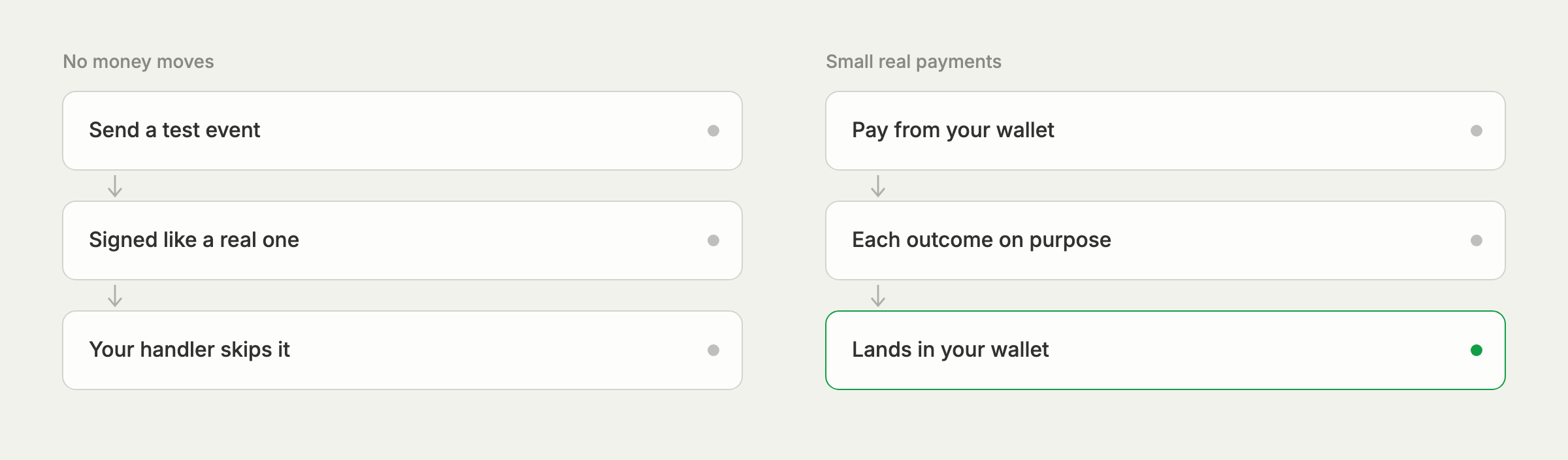
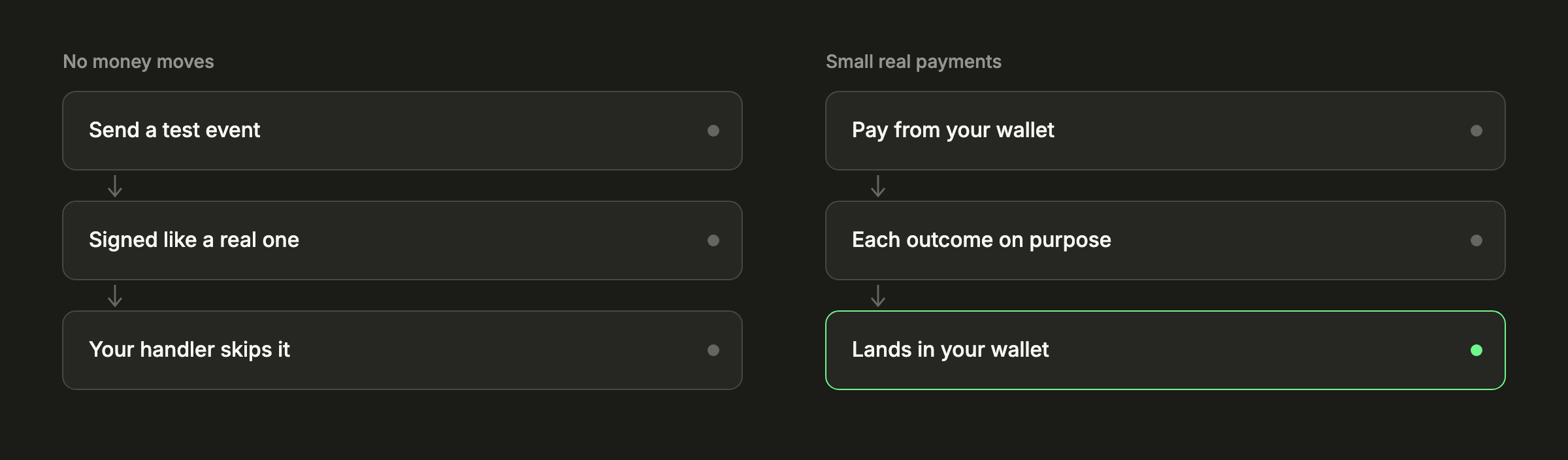
Add your endpoint under Developers → Webhooks. It must be https, so during development point it at an HTTPS tunnel to your machine or at a deployed preview of your app. Then use Send test event on the endpoint, or POST /webhooks/{id}/test through the API.
A test event is signed exactly like a real one, so it proves your signature check works with your signing secret. Its payload carries "test": true and a made-up subject id, which makes it a good check of a second rule: your handler should skip it before fulfilling anything.
Every delivery, test or real, is listed under the endpoint with its request and your server's response. Use that log to test failure too. Make your endpoint return an error once and watch the delivery be retried: a failed delivery is tried 8 times in all over about 28 hours. Resend sends one again immediately, with a fresh signature, which is how you'd recover from an outage after launch. See webhook deliveries, retries and resends.
Decide where rehearsals live
Rehearsal payments are real payments, so they appear in your payments list, your reports, and your customers like any other. If you'd rather keep them apart, one account can run several businesses, each with its own links, customers, keys, webhooks, settings, and wallet. A second business used only for rehearsals keeps your main one clean, and your staging environment can use its key. Its wallet is included too, with no monthly fee. See run more than one business.
If you rehearse on your main business instead, give rehearsal payments a reference you'll recognize later, so they're easy to tell apart when you reconcile.
Rehearse each outcome with small payments
Pay from a wallet you control, with a stablecoin on Solana: it's final in about 10 seconds and its network fees are low. A price of a dollar or two is enough. Each outcome below is reachable on purpose:
| Paid in full | Send the exact amount checkout shows. Expect payment.succeeded, and check your order is fulfilled once even if you resend the delivery. |
|---|---|
| Underpaid | Send less than the amount, short by more than your tolerance (0.5% by default). Expect payment.underpaid and no fulfillment. Then send the rest from checkout and expect payment.succeeded. |
| Overpaid | Send a little more. Expect payment.succeeded with payment.overpaid beside it, and check you fulfill once, on succeeded. |
| Late | Set the rate lock to 5 minutes under Settings → Checkout, copy the address, let the quote run out, then send. Expect payment.needs_review, then accept it in the dashboard and expect payment.succeeded. |
| Expired | Create an API payment with expires_at 15 minutes ahead, the shortest allowed, and don't pay it. Expect payment.expired. |
| Canceled | Cancel an unpaid API payment with POST /payments/{id}/cancel. Expect payment.failed. |
Set the rate lock back afterward. For each case, compare what your endpoint received with the payment's timeline in the dashboard, and with GET /payments/{id}, which is what your success page should read rather than trusting the redirect.
Every outcome your customers can produce, you can produce first, on purpose.
Run one slow payment and one card payment
If you accept Bitcoin or Litecoin, send one rehearsal on it too. A Bitcoin payment usually takes about 10 minutes to confirm, and it's worth seeing what your customer and your order page show for that long. Our post on Bitcoin and Litecoin confirmations explains what happens in between.
If cards are on for your business, make one small card payment end to end. It opens the secure card page, comes back to checkout, and reaches your wallet as crypto, so the same payment.succeeded handler covers it. Checkout offers cards only for amounts the card providers accept, so if Card doesn't appear for a very small price, raise it.
What rehearsing costs
Less than it might seem, because you're paying yourself. Every rehearsal lands in your own wallet, so the payments themselves come back to you. What you spend is:
- The network fee on each transfer you send, paid by your sending wallet.
- 402pay's fee on each successful payment, 1% + 10¢ on a stablecoin, so $0.12 on a $2.00 test. It goes on your fee statement.
- The card fee, 4% + 30¢, on a card rehearsal.
A full pass through the outcomes above costs a few dollars at most. See how pricing works for the fee details.
Check the customer's side
Open a payment the way a customer would, on the devices they use:
- On a phone, use Open in wallet app and check your wallet fills in the address and amount.
- Scan the QR code from a second device, as a customer paying from an exchange app would.
- Check the email field behaves as you chose in your checkout settings, and that your business name and support email look right.
- Finish a payment and land where you expect: the receipt, or your success URL when you've set one.
Before you send real traffic
Put a restricted live key in production's environment only, register a production webhook endpoint with its own secret, use https success and cancel URLs, choose the coins and networks checkout offers, turn on two-step verification, and back up your recovery phrase.
Common questions
- No. Every key is live and every payment is a real transfer on its network. You can test webhooks with test events that move no money, and rehearse payments with small real amounts that land in your own wallet.
- Send a test event from the endpoint in Developers, then Webhooks, or call POST /webhooks/{id}/test. It's signed like a real delivery and carries "test": true, so your handler can verify it and then skip it.
- Send less than the amount checkout shows, beyond your underpayment tolerance, for an underpaid payment. For a late one, set the rate lock to its shortest, copy the address, let the quote expire, and then send.
- The network fees on your transfers and 402pay's fee on each successful payment, 1% + 10¢ on a stablecoin. The payments themselves land in your own wallet.
See what 402pay can do for you.
Discover how 402pay helps your business accept any card and get paid in crypto, straight to a wallet you control.