A dollar stablecoin is the same dollar on every network it runs on, but the experience of paying and being paid is not. The network decides how long a customer waits, what they pay to send, which wallets and exchanges they can send from, and what it takes for you to move the money afterwards.
On 402pay, stablecoins travel on Solana, Ethereum, and Tron. This guide compares the three from both sides of the payment and ends with a simple recommendation: offer all three unless you have a specific reason not to, and know what each one asks of you once the money has arrived.
The three networks at a glance
The counts, coins, and fees in this table come from the configuration checkout itself runs on. Confirmation times are typical; a congested network or a low fee can make any of them slower.
| Measure | Solana | Ethereum | Tron |
|---|---|---|---|
| Stablecoins at checkout | USDC and USDT | USDC and USDT | USDT |
| Confirmations waited for | 2 | 2 | 1 |
| Typical time to paid | About 10 seconds | About 24 seconds | About a minute |
| Network fee paid in | SOL | ETH | TRX |
| Checkout QR code | A Solana Pay link with the amount and token filled in | The address alone, for a token | The address alone |
| Send from the dashboard | Yes | Yes | Not yet |
Two rows matter more than they look. USDC isn't offered on Tron, so a customer holding only USDC needs Solana or Ethereum. And the last row is about your side of the business, not the customer's, which the final sections cover.
Solana: fast and cheap
Solana produces a block about every second, and its base fee is a fixed amount per signature, paid in SOL[1]. For a customer, a stablecoin payment there typically costs a fraction of a cent and reaches the confirmations checkout waits for in seconds. For low and mid-sized orders, that combination is hard to beat, and it makes Solana the natural default for stablecoins.
Solana also has the best scanning experience of the three. Its QR code is a Solana Pay transfer request[5], so a wallet that scans it fills in the recipient, the token, and the exact amount. The customer checks the numbers and approves, with nothing to type.
Ethereum: where larger balances sit
Ethereum is the network many institutions and long-time holders keep their stablecoins on, and both USDC and USDT are available there. It is also the most expensive of the three to send on. Its fees are priced in gas and paid in ETH, and they rise and fall with demand for block space[2]. A transfer that costs little on a quiet weekend can cost noticeably more during a busy hour.
That cost falls on the customer's wallet, not on you, and for a large invoice it is a small share of the total. For a small purchase it can be a real deterrent, which is why it pays to offer a cheaper network beside it rather than instead of it.
Why the Ethereum QR code holds only the address
A token payment request on Ethereum names the token's contract first[6]. A wallet or exchange app that doesn't read that format can mistake the contract for the recipient and send the funds there, where they are lost. So for tokens, the QR code is the bare address, and the full request stays on the button that opens a wallet app which understands it.
Tron: where much of the USDT is
Tron is the network a large share of USDT lives on. A Federal Reserve analysis found that by 2023 most USDT issued outside Ethereum had been issued on Tron[4], and many customers who pay in USDT, particularly those moving money across borders, expect to pay there. A payment there is counted in about a minute.
Tron's fees work differently from the other two. A transfer consumes resources called bandwidth and energy, which an account can obtain by staking TRX or pay for by burning TRX at the time of sending[3]. A customer withdrawing from an exchange pays the exchange's withdrawal fee instead; one sending from their own wallet needs TRX on hand. Tron wallets have no common payment link format, so its QR code is the address alone and the customer enters the amount checkout shows.
What changes for you once you're paid
Receiving is free on all three networks. The customer's wallet pays the network fee on top of what it sends, checkout shows an estimate of it beside the total, and the payment lands in your wallet whole. The differences start when you move money out, to pay a supplier, send a refund, or consolidate balances.
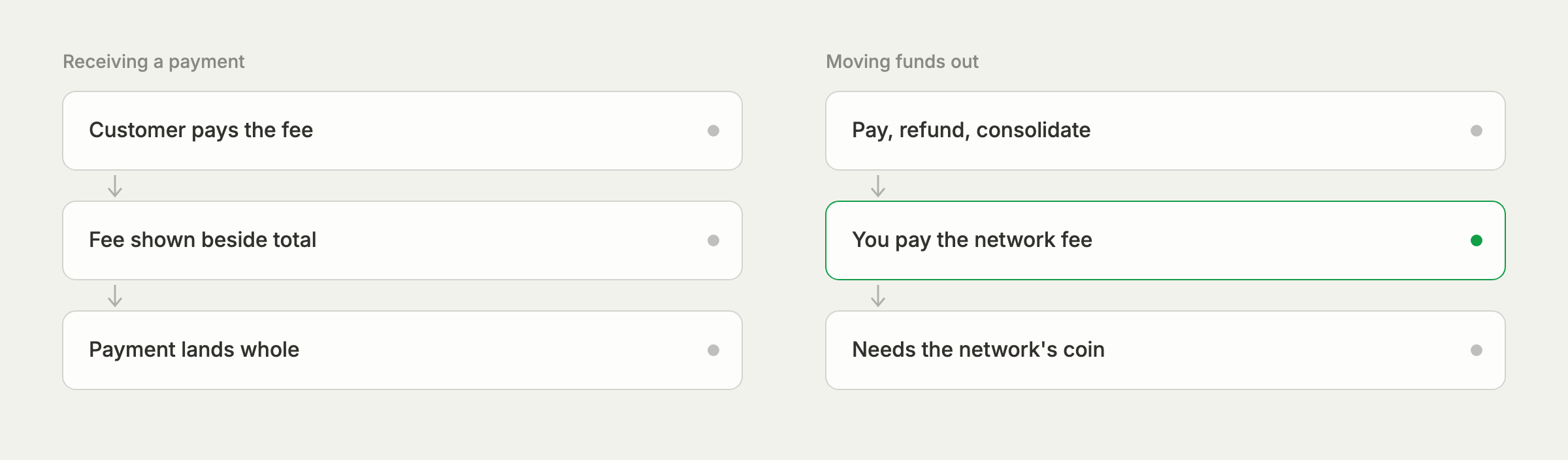
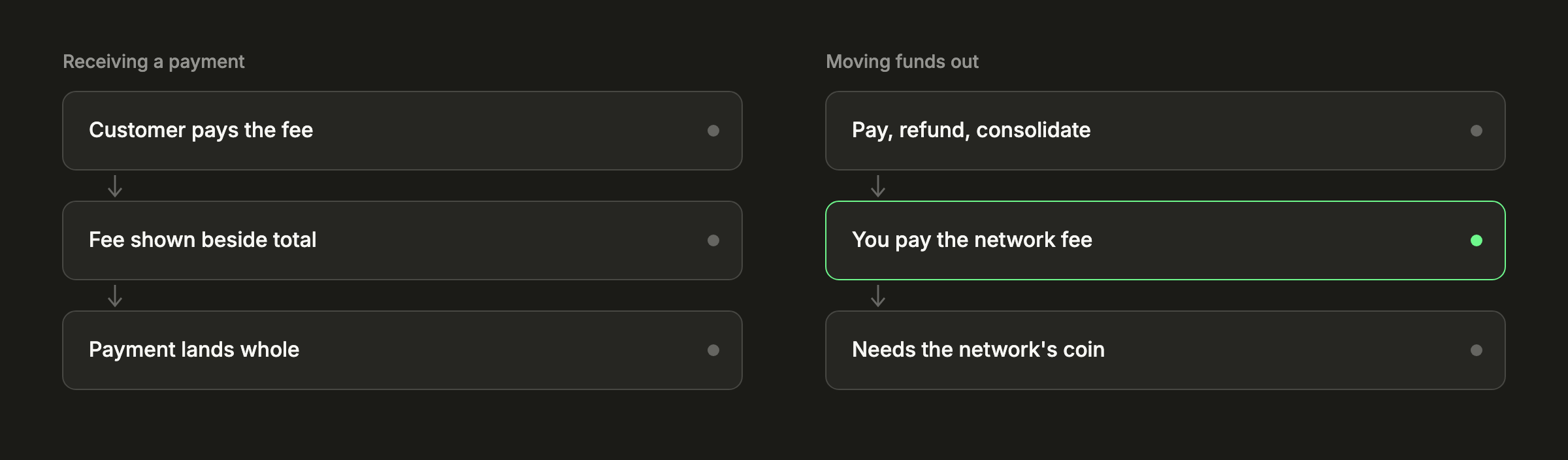
- Every send pays its own network's fee in that network's coin, so a wallet holding USDT on Tron also needs a little TRX, and the same goes for SOL and ETH.
- The dashboard signs sends in your browser on Ethereum and Solana. Funds on Tron land in your wallet as usual, but moving them for now means restoring your recovery phrase in a wallet app. See moving funds on other networks.
- Refunds go back on a network the customer can receive on, which is usually the one they paid on. A refund on Ethereum costs you more to send than the same refund on Solana.
None of this argues against accepting a network. It is the cost of serving the customers who hold funds there, and it is worth knowing before your first supplier payment rather than after.
Customers paying from an exchange
Many stablecoin payments come from exchange accounts rather than self-custody wallets. Two habits of exchanges are worth planning for. They often take a withdrawal fee out of the amount sent, so the transfer arrives slightly short, and they list the same coin on several networks, so the customer has to pick the one checkout showed.
The first is what the underpayment tolerance is for: a shortfall of up to 0.5% by default counts as paid in full, and a larger one gets a request for the rest. The second is why checkout names the network next to the address and why every checkout has an address of its own. Our post on underpayments covers what happens when the amount is off.
Our recommendation
Offer every network you can. The customer, not you, decides where their stablecoins are, and a checkout that doesn't list their network loses the sale at the last step. All coins and networks are on by default in Settings → Payments, and there are a few good reasons to narrow them:
| Turn off Ethereum | If your orders are small and you'd rather steer customers to cheaper networks. |
|---|---|
| Turn off Tron | If you need to move funds from the dashboard and don't want to restore your phrase in another wallet app. |
| Keep all three | In every other case, and especially if your customers are international or pay from exchanges. |
Pick your networks for your customers first, and plan your treasury around them second.
The USDC vs USDT guide covers the choice of coin, and the networks guide in the developer docs lists every coin and network the API accepts.
Common questions
- Solana, where a transfer typically costs a fraction of a cent and confirms in seconds. Tron is also inexpensive for USDT, and Ethereum is the most expensive of the three.
- Not on 402pay. USDC can be paid on Solana, Ethereum, and Base, and USDT on Solana, Tron, and Ethereum.
- The customer's wallet pays it on top of the amount sent, so the payment lands in the business's wallet whole. Checkout shows an estimate of it beside the total.
- Usually, yes. Customers pay from the network their funds are already on, so each network turned off turns some of them away. Narrow the list only for a specific reason, such as how you plan to move funds out.
References
- [1]Fees on Solana. Solana Documentation.
- [2]Gas and fees. ethereum.org.
- [3]Paying for resources. TRON Developer Hub.
- [4]Primary and Secondary Markets for Stablecoins. Board of Governors of the Federal Reserve System, FEDS Notes, February 2024.
- [5]Solana Pay transfer request specification. Solana Pay.
- [6]ERC-681: URL format for transaction requests. Ethereum Improvement Proposals.
See what 402pay can do for you.
Discover how 402pay helps your business accept any card and get paid in crypto, straight to a wallet you control.