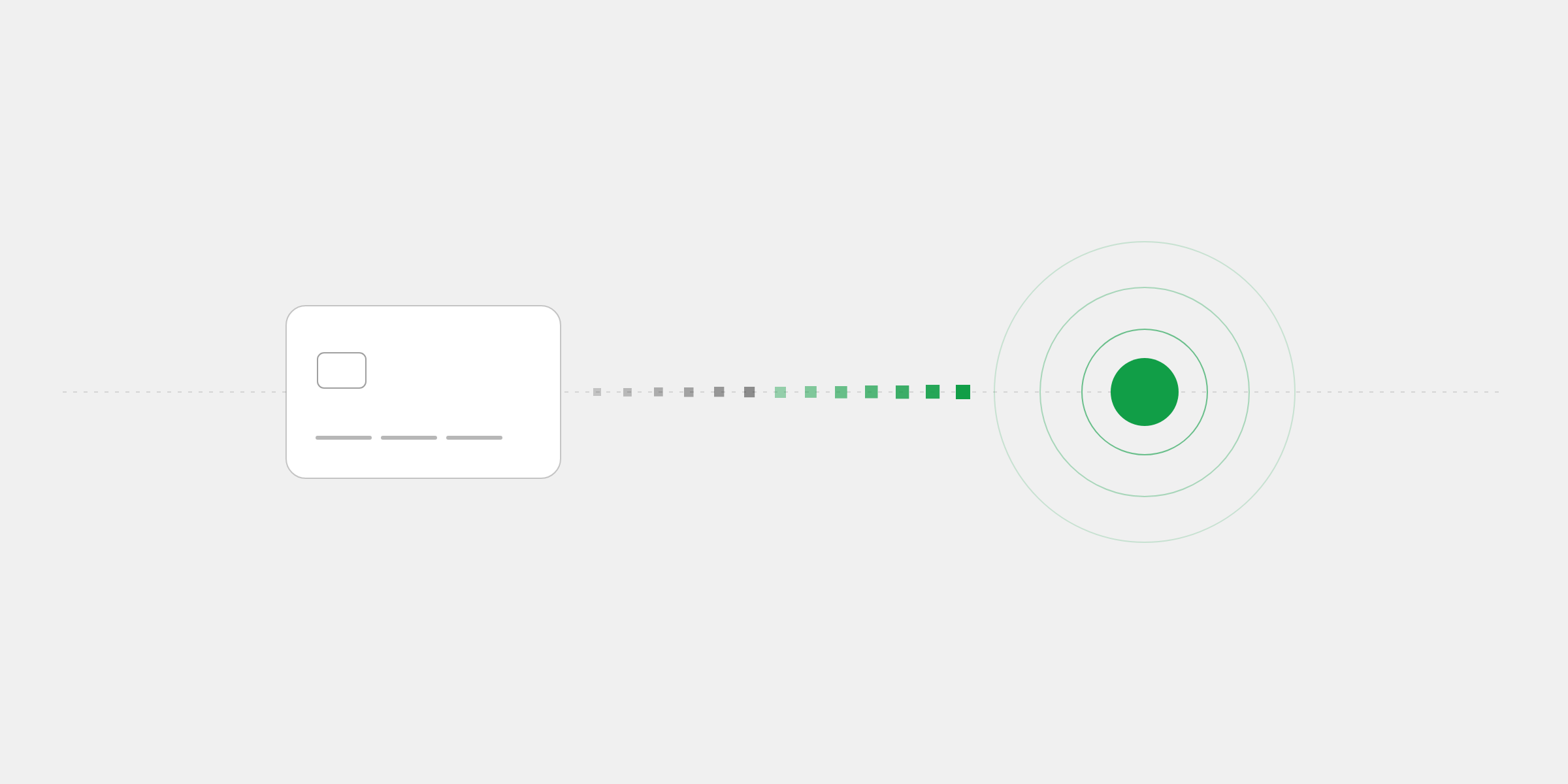
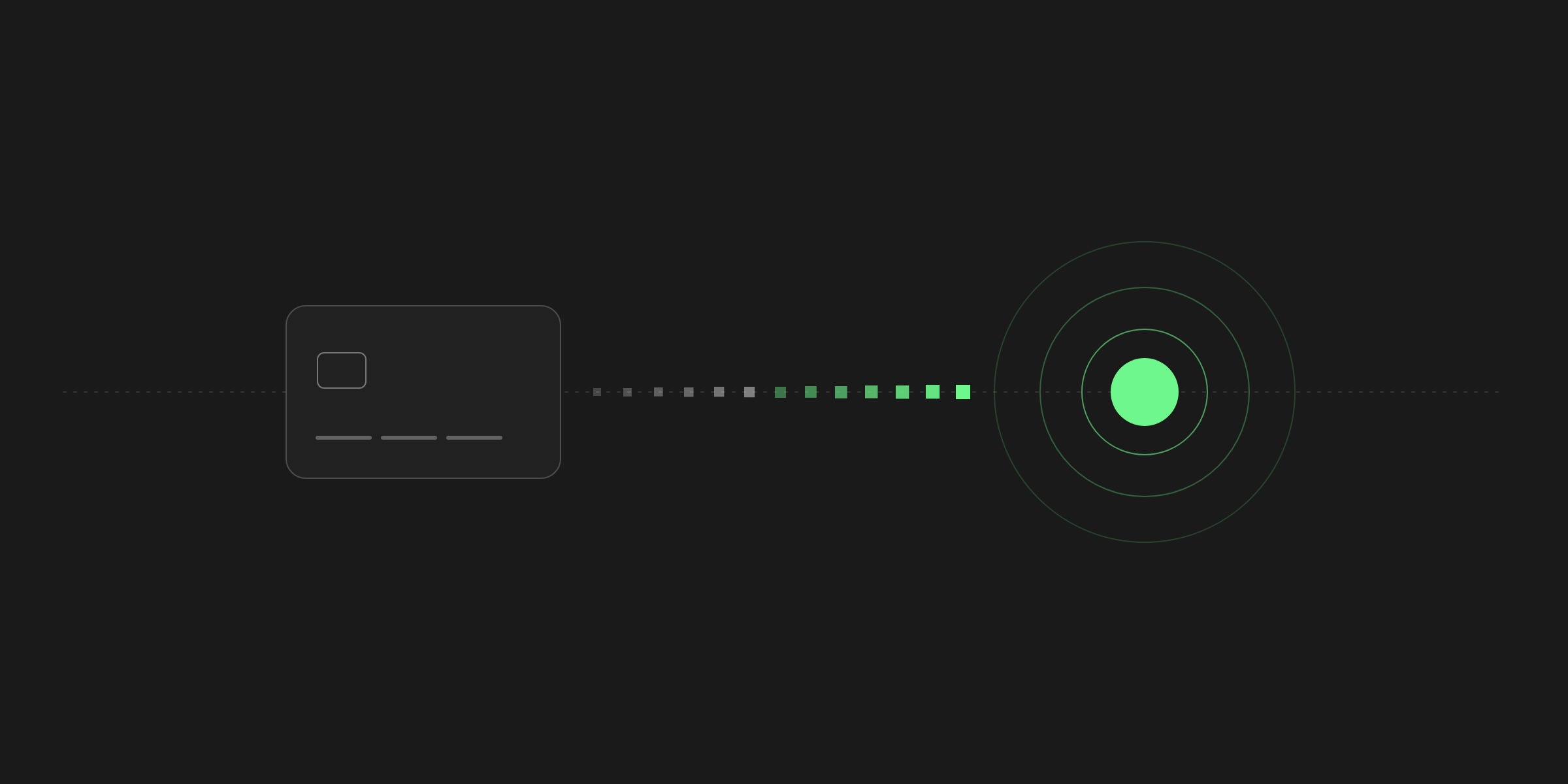
Card-to-crypto payment processing lets a business accept card payments, including Apple Pay and Google Pay, and receive every one of them as crypto, usually a stablecoin like USDC or USDT, in its own wallet. The customer pays the way they always do. The business gets paid the way it wants.
It sounds like a small technical detail. In practice, it changes who you can sell to, how quickly the money is yours, and who holds it in the meantime. Here's how it works, why businesses are switching to it, and what to look for when you choose a processor.
How a card payment becomes crypto
From the customer's side, nothing unusual happens. They reach checkout, choose to pay by card, and enter their details on a secure card page, or tap Apple Pay or Google Pay. If their bank wants to confirm the purchase, they approve it the way they would anywhere else online.
The difference is entirely in what happens after the card is approved. Instead of the money joining a balance at the processor and waiting for a payout, the payment is converted into a coin the business accepts, on a network it accepts, and delivered to the business's wallet, whole, the same way a crypto payment arrives.
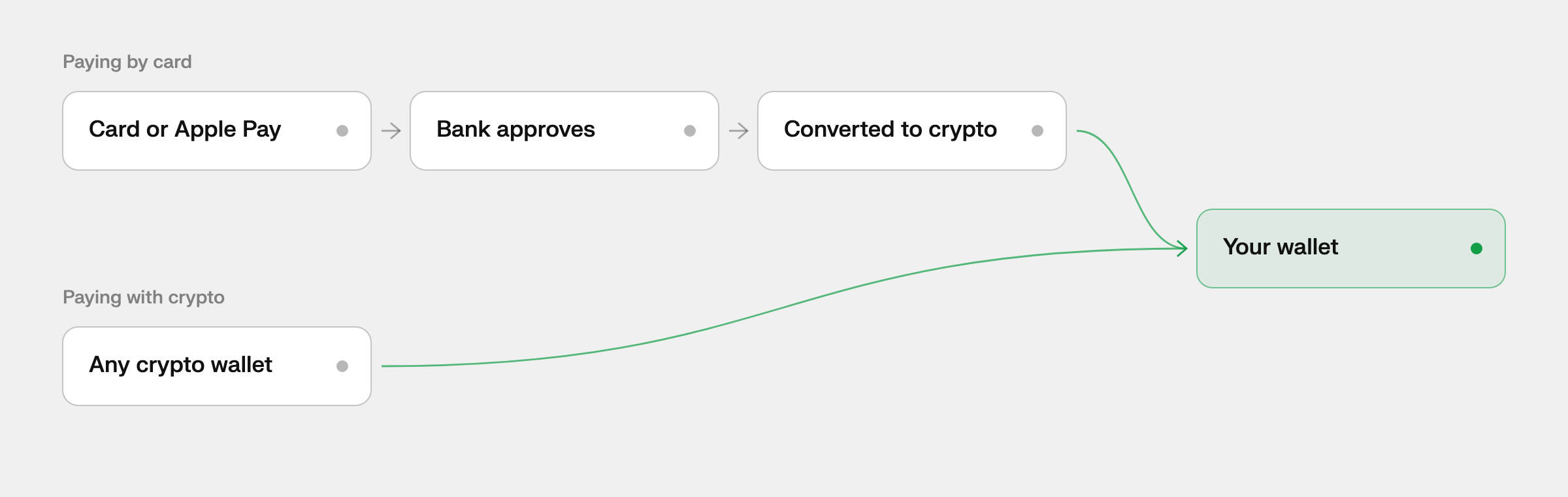
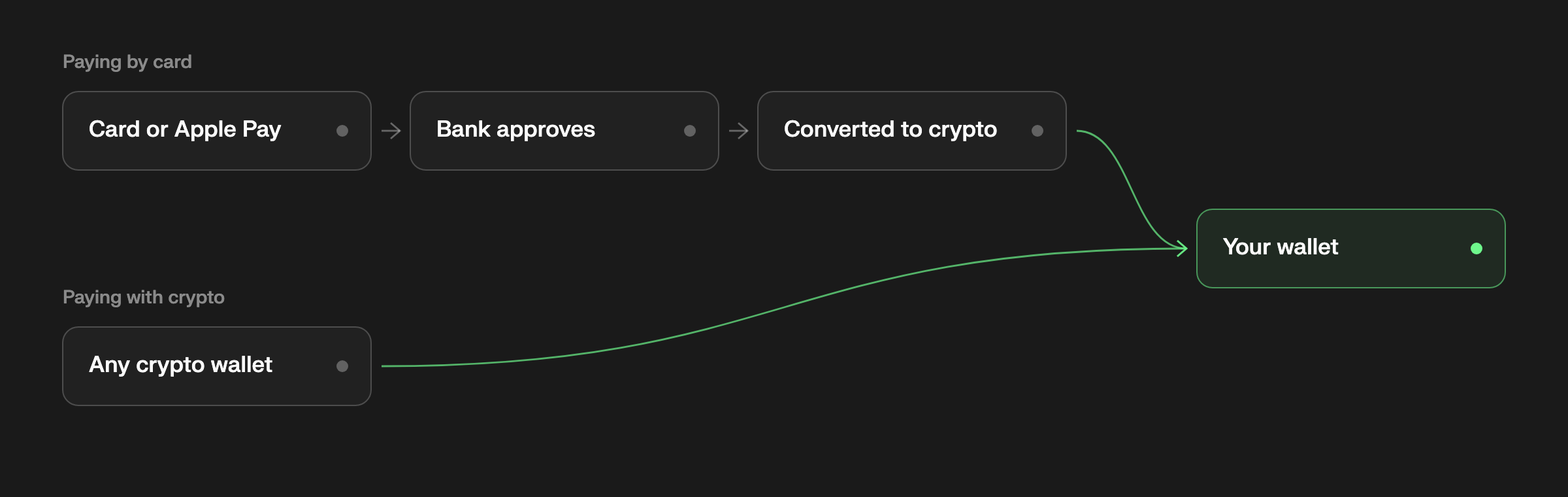
With a traditional processor, there would be a balance in between and a payout days later. Here, there isn't one. The business sees one kind of payment and one balance, however the customer chose to pay.
Customers who already hold crypto simply skip the card steps and pay from their own wallet. Either way, the sale ends in the same place.
Why most businesses receive stablecoins
A business can receive any coin its processor supports, but most choose a stablecoin. A stablecoin is a token designed to hold the value of a regular currency, almost always the US dollar. USDC, issued by Circle, and USDT, issued by Tether, are the two most widely used, and each one is meant to be worth exactly one dollar.
That matters for a business because a sale should be worth the same tomorrow as it was today. A $100 order paid in USDC is still $100 when you go to spend it. The same order paid in Bitcoin or Ether could be worth more or less by the end of the week, which is a fine bet for an investor and an awkward one for a shop paying its suppliers.
The same stablecoin also lives on more than one network, and the network decides speed and cost:
- USDC can be paid on Solana, Polygon and Ethereum.
- USDT can be paid on Solana, Tron and Ethereum; USDT on Tron is among the most widely used stablecoins anywhere.
- Solana and Polygon confirm in seconds for a fraction of a cent, which makes them the usual choice for everyday sales.
- Ethereum is slower and costs more to move money on, but many larger holders keep their funds there.
Volatile coins still have their place. Some customers would rather pay from the Bitcoin or Ether they already hold, and some businesses are happy to keep it. A good processor lets you choose which coins you accept, rather than choosing for you.
Why businesses are switching
The first reason is speed. A crypto payment is final within seconds to minutes, depending on the network, and there's no payout schedule sitting behind it. Money that confirmed this afternoon is money you can use this afternoon, not next week.
- Card, on Stripe2 business days
- BTC on BitcoinAbout an hour
- USDC on Ethereum13 to 19 minutes
- USDT on TronAbout a minute
- USDC on SolanaAbout 13 seconds
- USDC on Polygon2 to 5 seconds
The second is reach. Most people still pay by card, and a crypto-only checkout quietly turns them away. Card-to-crypto keeps every customer who would have paid, while the business still receives crypto every time.
The third is borders. A stablecoin dollar moves between countries as easily on a Sunday as on a Monday, without a correspondent bank in the middle. For businesses with customers or contractors abroad, that alone can be reason enough.
The customer pays the way they always do. The business gets paid the way it wants.
The last reason is control, and it depends on the processor. When payments go straight into a wallet only the business holds the keys to, there's no balance for anyone to pause, reserve or freeze. When they go into the processor's account first, the business is trusting that account to pay out.
Card-to-crypto or a card processor?
From the customer's side, a card-to-crypto checkout and a regular card checkout look much the same. The card page, the bank's check and the receipt are all familiar. The differences are on the business's side, and they show up after the sale, when the money is on its way.
| Measure | Card processor | Card-to-crypto |
|---|---|---|
| Where the money goes | A balance at the processor | Your wallet, with a self-custody processor |
| When it's yours | On a payout schedule, often days later | When the network confirms it |
| Weekends and holidays | Payouts wait for bank days | Networks run every day |
| Selling abroad | Through banks and currency conversion | The same stablecoin, anywhere |
A card processor makes sense for a business that wants its money in a bank account in its own currency and doesn't mind waiting for it. Card-to-crypto suits a business that would rather hold dollars it can move any day of the week, pay suppliers or contractors in stablecoins, or simply stop waiting on payouts.
Plenty of businesses use both: a card processor for the bank account they already run, and card-to-crypto for the customers and markets where getting paid in crypto works better.
Card-to-crypto or crypto only?
A crypto-only checkout is simpler to build and run, and for a business whose customers all hold crypto, it may be enough. The trouble is that it only ever works for those customers. Everyone else is turned away at the last step, or sent off to buy crypto somewhere else first, which is where many of them give up.
| Measure | Crypto only | Card-to-crypto |
|---|---|---|
| Who can pay | Customers with crypto | Anyone with a card, Apple Pay, Google Pay or crypto |
| What you receive | Crypto | Crypto, every time |
| Card customers | Turned away, or sent off to buy crypto first | Pay right in checkout |
Card-to-crypto removes that wall. The business receives exactly what it would from a crypto-only checkout, crypto in its wallet, but anyone with a card can pay. It's the difference between accepting crypto and getting paid in crypto by everyone.
What it costs
The price of card-to-crypto processing is rarely one number. It usually comes in layers, and the headline rate on a pricing page is only the first of them:
| Processing fee | A percentage of each payment, a flat fee per payment, or both. Card payments usually cost more than crypto ones. |
|---|---|
| Conversion | Turning a card payment into crypto. Some processors add a markup to the exchange rate; it's worth asking. |
| Network fee | What the network charges to move money, paid in its own coin. A fraction of a cent on Solana or Polygon. |
| Payout or withdrawal | What it costs to move a balance out of the processor, when the processor holds one. |
Where the fee is taken matters as much as how big it is. Many processors take their cut out of each payment before it reaches you, so a $100 sale arrives as something less. Others bill their fees separately, so the payment arrives whole and the cost shows up on a statement instead.
Percentage fees also grow with your orders. On a $20 sale, 1% is twenty cents. On a $2,000 sale, it's twenty dollars, for exactly the same work. If your average order is large, a flat fee is usually far cheaper.
Refunds and disputes
Crypto payments can't be reversed once the network confirms them. That protects a business from the chargebacks that come with cards, but it also means a refund works differently. Instead of a button at the processor, a refund is a new payment the business sends back to the customer, from its own wallet, in the coin and amount it chooses.
Card payments keep one thing from the card world: a cardholder can still dispute a payment with their bank, even after it has been converted to crypto. If that happens, the business is asked for evidence, just as it would be with any card processor.
A few habits keep disputes rare, whichever way a customer pays:
- Describe what the customer is buying clearly, in words they'll recognize on their statement.
- Show your refund policy on your site, before the customer pays.
- Give customers a support email, so they come to you before they go to their bank.
- Before sending a refund, confirm the customer's address and network with them; a crypto refund can't be undone either.
Our help center covers refunds and disputes step by step.
Who uses it
Card-to-crypto is most useful where customers pay in different ways and the business would rather receive one thing. Some of the businesses it fits best:
- Online stores and digital products that sell worldwide and want to stop waiting on payouts.
- Software and SaaS companies billing customers in many countries from one integration.
- Freelancers and agencies with clients abroad, who invoice in their own currency and receive dollars.
- Creators and communities, where some fans hold crypto and most pay by card.
- Businesses that already pay suppliers or contractors in stablecoins, and want revenue in the same form.
It's a weaker fit for a business that needs every sale in a local bank account the next day, or one whose customers almost never pay online. For everyone in between, it removes the choice between accepting cards and getting paid in crypto.
What to look for in a processor
Processors that offer some version of this differ in ways a pricing page won't always tell you. Before you choose one, it's worth asking five questions:
| Who holds the money? | Straight to your wallet, or into a balance the processor controls until it pays you out. |
|---|---|
| When is it yours? | The moment the network confirms it, or on a daily or weekly payout schedule. |
| What does it cost? | A percentage that grows with every order, a flat fee, or both, plus any fees to withdraw. |
| Which coins and networks? | Whether customers can pay with what they hold, USDT on Tron included. |
| How do you connect it? | Payment links with no code, an API with signed webhooks, or both. |
The first question matters most, because it decides the rest. A processor that holds your balance also decides when you can use it, what it costs to withdraw, and what happens to it during a review.
Our fee comparison puts numbers on all of this for the best-known processors, and our comparisons go through them one at a time.
Words to know
A few terms come up again and again when you read about crypto payments:
| Stablecoin | A token designed to hold the value of a currency, usually one US dollar, such as USDC or USDT. |
|---|---|
| Network | The blockchain a payment travels on, such as Solana, Tron or Ethereum. It sets the speed and the fee. |
| Confirmation | The network recording a payment. After enough of them, the payment can't be undone. |
| Self-custody wallet | A wallet only its owner holds the keys to. No company can move or freeze what's in it. |
| Recovery phrase | The words that restore a self-custody wallet. Whoever has them controls the funds. |
| Settlement | The point a payment is the business's to use. For crypto, that's when the network confirms it. |
How 402pay does it
402pay is card-to-crypto payment processing through a single API. Customers pay by card, Apple Pay, Google Pay or crypto on Solana, Polygon, Ethereum, Tron and Bitcoin, and every payment lands in a self-custody wallet only your business controls. We never hold your keys, so we can't hold your money either.
Here's how it answers those five questions:
- Your money goes straight to your own wallet; 402pay never holds it.
- It's yours the moment the network confirms it, with no payout to wait for.
- Crypto payments cost 0% at an introductory rate and cards 3%, in beta, plus a flat $0.25 on each payment that succeeds.
- Checkout takes stablecoins and major coins on Solana, Polygon, Ethereum, Tron and Bitcoin, USDT on Tron included.
- You can start with a payment link in minutes and add the API whenever you're ready.
Nothing is ever taken out of a payment, and you can pass the fee on to your customer at checkout if you prefer. It's the simplest way we know to accept every customer and get paid in crypto.
Getting started takes a few minutes: create an account, set up a self-custody wallet or connect one you already use, and share a payment link. When you're ready to build it into your own product, the quickstart walks through the API, and the integrations page shows every other way in.
Common questions
- A way for a business to accept card payments, including Apple Pay and Google Pay, and receive every payment as crypto, usually a stablecoin like USDC or USDT, in its own wallet.
- No. Customers pay with a card, Apple Pay or Google Pay the way they would anywhere online, and the payment is converted to crypto before it reaches the business. Customers who hold crypto can pay from their own wallet instead.
- A token designed to hold the value of a regular currency, almost always the US dollar. USDC, issued by Circle, and USDT, issued by Tether, are the most widely used, and each is meant to be worth one dollar.
- Crypto, in a coin and on a network the business chose to accept, delivered whole to its wallet, whichever way the customer paid.
- As soon as the network confirms the payment: seconds on networks like Solana and Polygon, about a minute on Tron, and about an hour on Bitcoin. There's no payout schedule on top.
- It depends on the processor. Many collect payments into a balance they control and pay out later. 402pay sends every payment straight to a self-custody wallet only the business holds the keys to, so it never holds the money at all.
- A refund is a payment the business sends back from its own wallet, in the coin and amount it chooses. A cardholder can still dispute a card payment with their bank, and the business is then asked for evidence, as with any card processor.
- Crypto payments cost 0% at an introductory rate and card payments 3%, in beta, plus a flat $0.25 on each payment that succeeds. Nothing is taken out of a payment.
See what 402pay can do for you.
Discover how 402pay helps your business accept any card and get paid in crypto, straight to a wallet you control.